



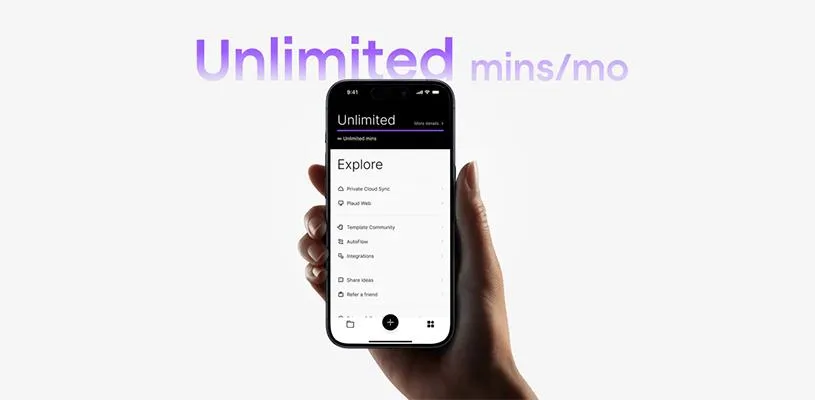
When you use Plaud Note or Plaud Note Pro, all AI features and subscriptions are managed directly in the Plaud app. That means you don’t need to go through a website — everything happens smoothly in the app.
Subscriptions are used for features such as extended transcription, more AI tools, and advanced summaries. You choose the level based on how much you use your device.
Getting started
Activating a subscription only takes a minute:
- Open the Plaud app
- Go to the "Me" tab
- Tap "PLAUD AI Membership"
- Select a subscription or transcription level
You can choose between a monthly or yearly plan, depending on your needs.
Starter plan included
All PLAUD devices come with a Starter plan that includes about 300 minutes of AI transcription per month. For many people, that goes a long way for meetings, interviews, and notes.
If you need more, you can easily upgrade to a subscription with more minutes and more features.
Manage everything in the app
In the Plaud app, you can at any time:
- See how many transcription minutes you have left
- Upgrade or change your subscription
- Buy extra minutes if needed
Everything is in one place, making it easy to keep track of both recordings and AI features.
FAQ
How do I sign up for a subscription?
Open the Plaud app, go to the "Me" tab, and select "PLAUD AI Membership". There you can choose a subscription or transcription level.
Can I sign up for a subscription on the web?
No, all subscriptions are managed directly in the Plaud app.
Does a subscription come with the device from the start?
Yes, all devices come with a Starter plan that includes about 300 minutes of AI transcription per month.
What happens if I run out of minutes?
You can upgrade your subscription or buy extra minutes directly in the app.
Can I change or cancel my subscription?
Yes, you can upgrade, change, or manage your subscription in the app at any time under "PLAUD AI Membership".
Where can I see how many minutes I have left?
You can see that directly in the app, where you can also track your usage in real time.