



AI transcription has made it much easier to document meetings, interviews and conversations. Instead of trying to capture everything that is said, you can focus on the discussion and let technology help you capture the content. But the quality of the result depends not only on how advanced the AI model is.
How you record, where the microphone is placed and how the conversation is conducted can affect how well speech is recognised. With a few simple changes, you can get clearer transcriptions, more useful summaries and fewer details to correct afterwards. Here, we go through five common mistakes and how to avoid them with Plaud.
1. The recorder is placed too far from the conversation
A common mistake is to place the recorder far from the people speaking. If sound has to travel through a large room, voices can easily get mixed with ventilation, keyboard noise and other distractions.
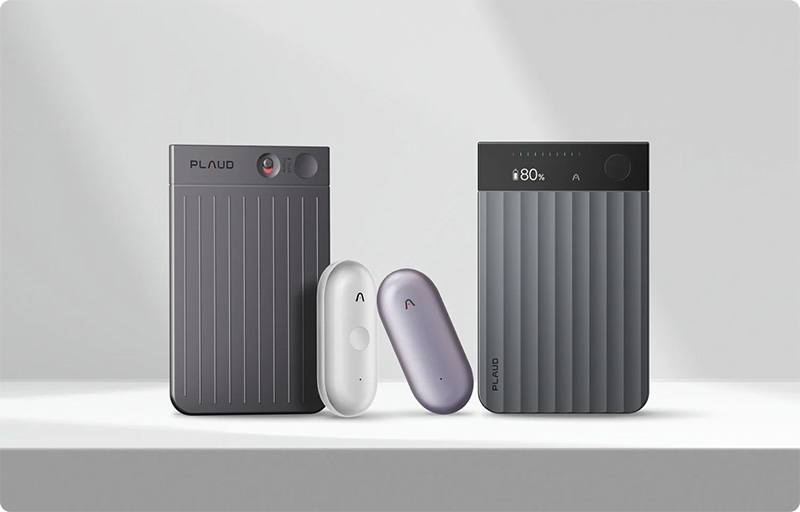
Instead, place your Plaud Note or Note Pro so that participants’ voices are captured clearly. In meetings around a table, a central position is often a good option. If you use a portable model such as NotePin or NotePin S, make sure the microphone is not covered by clothing or other objects.
2. Background noise takes up too much space
A recording in a café or a busy office environment can be harder to transcribe than a conversation in a quiet meeting room. Even though modern audio processing can help separate voices from background noise, it is always an advantage to capture clear original audio.
Try to choose a quiet place when possible. Close windows facing busy streets and avoid placing the recorder next to fans or speakers. Small changes in the surroundings can make a big difference, especially in longer interviews.
3. Several people speak at the same time
When several participants talk over one another, it becomes harder to tell who said what. This can affect both the transcription and the subsequent summary, especially when important decisions or tasks are being discussed.
Try to create a meeting structure where participants are allowed to finish their points. Plaud’s speaker identification features can help distinguish between different voices, but clear conversations still provide better conditions. This is especially important when the summary will later be used as meeting minutes.
4. Names and technical terms are not checked
Product names, personal names, abbreviations and technical expressions can be difficult for a transcription service to interpret. An unusual company name or a specialised term may therefore be incorrect, even when the rest of the conversation is transcribed accurately.
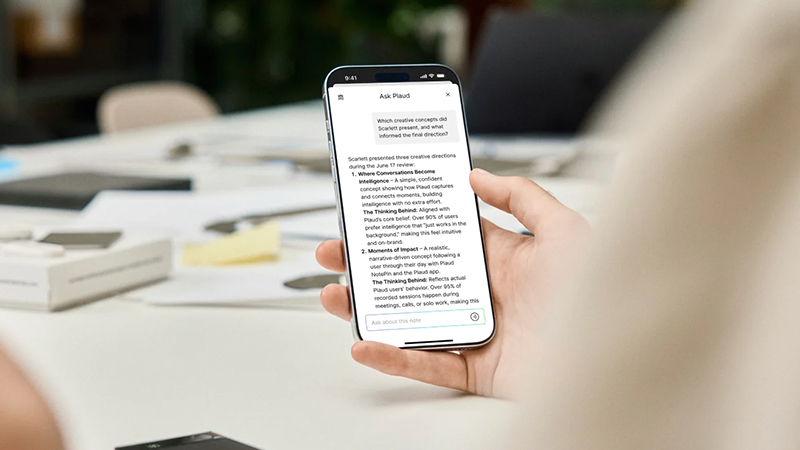
Review the transcription and check important names, figures and terms. Feel free to use Plaud’s ability to ask follow-up questions about the recording to find relevant sections. If anything seems unclear, it is wise to listen to the original audio before using the information further.
5. The AI summary is used without review
An AI-generated summary can save a lot of time, but it should not be treated as a finished, infallible record. Important nuances can be lost and wording may need clarification, especially when several topics are discussed during the same meeting.
So set aside a few minutes to check the summary. Do the decisions, responsibilities and any deadlines match? With Plaud’s summary features and Ask Plaud, you can quickly find relevant parts of the conversation again and create a more reliable basis.
FAQ
How do I get better quality from my AI transcriptions?
Start by improving the audio capture. Place the recorder close to the participants, reduce background noise and avoid having several people speak at once. Then check names, figures and key terms in the transcription. Clear original audio is often the most important condition for a good result.
Can Plaud distinguish between different speakers?
Plaud supports speaker identification, which helps distinguish between voices in a recording. The result is influenced by factors such as audio quality and how much participants speak over one another. Check the speaker split if it is important to know exactly who said something.
Does AI transcription work in noisy environments?
It can work, but the result is often less reliable when background noise is strong. Try to place the recorder close to the person speaking and choose a quieter environment when possible. Check important details afterwards, as noise and overlapping voices can affect interpretation.
Can I use Plaud for interviews and meetings?
Yes, Plaud recorders are designed to document meetings, interviews and conversations, among other things. They can be used together with AI features for transcription and summarisation. Inform participants about the recording and make sure you have the right to record and process the content.
Do I always need to check an AI-generated summary?
Yes, especially if the summary contains decisions, financial information or material that will be shared further. AI can miss context or misread wording. By comparing key parts with the transcription and the original audio, you reduce the risk of errors making their way into the documentation.