

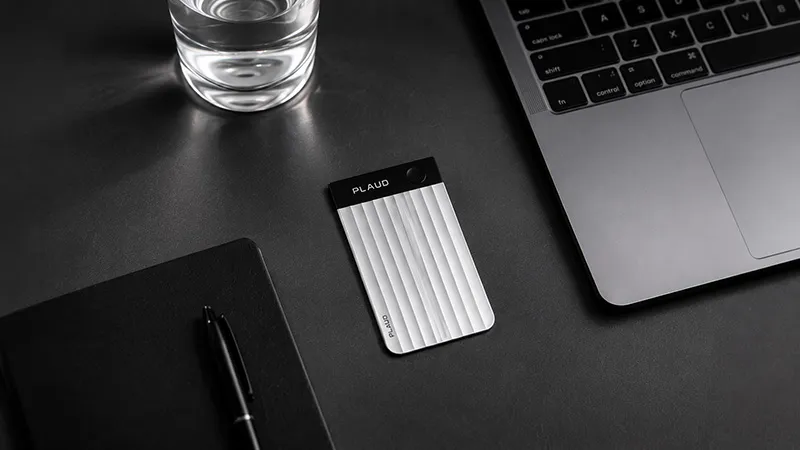
AI has quickly changed how we document meetings. Instead of sitting and taking notes while trying to join the discussion, an AI tool can record, transcribe, and summarize everything automatically. But which option is actually the best fit?
The market has grown fast, and today there are both pure AI apps and physical AI recorders that work almost anywhere. That makes the choice a little harder than it first seems. Should you choose a meeting bot that connects to Teams or Zoom, or a small recorder that works just as well in a client meeting, on a phone call, or while walking between two meetings? Here, we look at the biggest options on the Swedish market and examine their strengths, weaknesses, and best use cases.
Hardware or app - the biggest difference
The biggest difference between today’s AI tools is not really how good the AI is. It is where the tool works.
Most people know services like Otter.ai, Fireflies.ai, or Microsoft Teams Copilot. They work well in digital meetings, where they can connect directly to the meeting and create a transcript while you speak. That is convenient if your entire workday takes place in front of a computer.
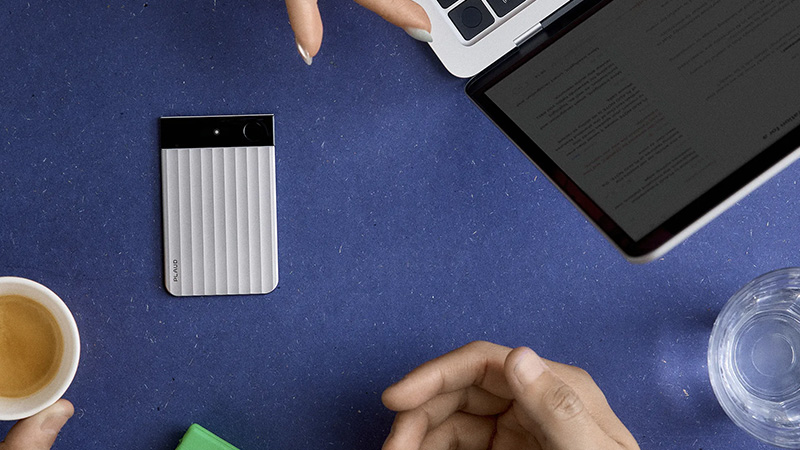
But reality often looks different. Client meetings happen on site, spontaneous ideas come up during a walk, and important phone calls do not always happen via Teams. That is where hardware-based solutions like PLAUD come in. Because recording happens on a physical device, you can capture the conversation wherever it takes place and let the AI handle the rest.
Five popular AI tools in 2026
|
Tool |
Type |
Swedish |
Summary |
Best for |
|---|---|---|---|---|
|
PLAUD |
Hardware + app |
Yes |
Yes |
Physical and digital meetings |
|
Otter.ai |
App |
Limited support |
Yes |
English-language digital meetings |
|
Klang.ai |
App |
Yes |
Yes |
Swedish organizations |
|
Fireflies.ai |
Meeting bot |
Yes |
Yes |
Teams and Zoom |
|
Microsoft Teams Copilot |
Integrated AI |
Yes |
Yes |
Companies already using Microsoft 365 |
The table makes it fairly clear that this is not really about one tool being better than another. They are built for different kinds of work.
How the different options compare
PLAUD
PLAUD differs from many competitors by combining a physical AI recorder with an app. The result is a tool that works just as well in the conference room as on a client visit or a phone call.
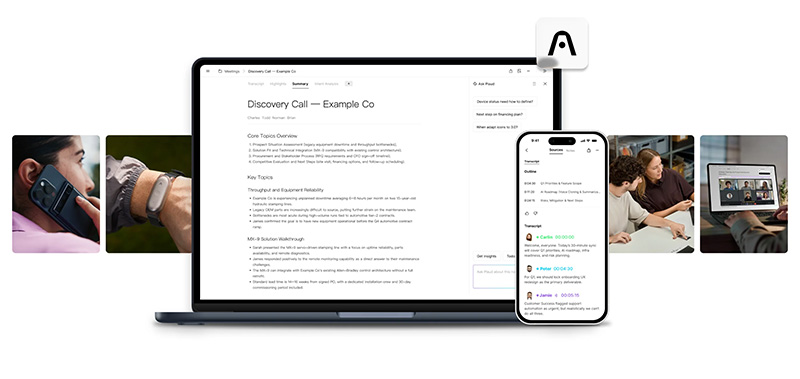
For many, that flexibility is the main advantage. Recording can be done almost anywhere, and the AI then transcribes more than 100 languages, identifies speakers, and creates summaries, action items, and meeting notes in just a few minutes. For anyone with many meetings away from the computer, it is a solution few apps can match.
Otter.ai
Otter.ai is one of the pioneers in AI meeting notes and is widely used, especially in the US market.
Its strength lies in English-language meetings, where the service still performs at a very high level. For Swedish users, it works much better today than it did a few years ago, but accuracy still varies more than with tools developed with a stronger focus on multiple languages.
Klang.ai
Klang.ai is an interesting option for companies that mainly work in Swedish and want a service with local roots.
The service focuses on meeting transcription and AI summaries and suits organizations that want to automate documentation without investing in physical hardware. For those who work almost entirely digitally, it can be a good option.
Fireflies.ai
Fireflies.ai works as an AI assistant that connects to your digital meetings and documents them automatically.
Its biggest strength is integrations. The platform works with Zoom, Google Meet, and Microsoft Teams, while notes and summaries can easily be shared with other systems. However, it does require the meeting to take place digitally.
Microsoft Teams Copilot
For companies that already work entirely in Microsoft 365, Teams Copilot often feels like the most natural choice.
Because the feature is built in, no separate app or service is needed. Copilot can summarize meetings, highlight decisions, and create follow-ups directly in Teams. The downside is that it does not help much when the meeting takes place outside Microsoft’s ecosystem.
Does AI meeting notes really work in Swedish?
This is one of the most common questions, and the answer is yes - but quality varies between services.
Most modern AI tools handle Swedish much better today than they did just a few years ago. Even so, differences are still noticeable when several people speak at once, when dialects are mixed, or when technical terms are used. That is why it is wise to look beyond marketing and, if possible, test the tool with the kind of meetings you actually have.
For companies, privacy and GDPR are also important factors. Always check where audio files are stored, how long they are kept, and what security features the provider offers before the tool is rolled out across the organization.
Which tool is best for you?
There is really no single right answer. If you work almost entirely in Teams or Zoom, an AI meeting bot may be the most logical choice.
If, on the other hand, your days are made up of client visits, workshops, interviews, phone calls, or spontaneous meetings, a hardware-based solution is much more flexible. That is also why many companies choose to combine several solutions, depending on how different teams work.

AI meeting notes have gone from being an exciting extra feature to a tool that actually saves time every week. The real question is no longer whether you should use AI for meetings, but which solution best fits the way you work.
FAQ
What are AI meeting notes?
AI meeting notes mean that an AI tool automatically records, transcribes, and summarizes a meeting. The goal is for you to focus on the conversation instead of taking notes.
Does AI transcription work in Swedish?
Yes. Most modern services now support Swedish, but quality varies between providers and depending on how complex the meeting is.
Is a physical AI recorder better than an app?
Not necessarily. A physical recorder, however, works in many more situations, such as client meetings, phone calls, and meetings away from the computer.
Are AI meeting notes safe to use?
It depends on the provider. Always check how data is stored, whether the service complies with GDPR, and what security certifications are in place before it is used in the company.
Which AI tool is best for Swedish companies?
It depends on how you work. Companies with lots of digital meetings often do well with a meeting bot, while organizations that move between the office, client meetings, and phone calls often get more value from a solution that also works away from the computer.