


Recording a meeting is easy. Finding that important detail 45 minutes into the recording is much harder. That is why transcription has become one of the most useful tools for everyone from journalists and students to salespeople, researchers, and consultants.
Thanks to today’s AI tools, you no longer have to sit and transcribe recordings by hand. Instead, you can turn a meeting, interview, or phone call into searchable text in just a few minutes. The only question is which method fits best. Should you use a free tool, a web service, or a dedicated recorder with built-in AI transcription? Here, we go through the options and help you find the right solution.
What does transcription mean?
Transcription simply means converting speech into text. It can involve transcribing a meeting into text, turning an interview into a document, or transforming an audio file into a searchable archive.
In the past, this was time-consuming work that often took several times longer than the recording itself. One hour of interview could mean four or five hours of manual work. With modern AI transcription in Swedish, the same job can often be done in just a few minutes.

The result is also far more useful than an audio file. You can search for specific words, copy quotes, create summaries, and share the information with colleagues without anyone having to listen through the entire recording.
Three ways to transcribe meetings and conversations
There are currently three main ways to transcribe Swedish meetings and conversations. Which option works best depends mainly on how often you use the feature and how much time you want to spend on the process.
For occasional recordings, free tools may be perfectly sufficient. If you work with transcription regularly, however, a web service or a dedicated AI recorder can save many hours every week.
Option 1: Free tools like Whisper and MacWhisper
OpenAI’s Whisper has become something of a standard in automatic transcription. The model works very well for Swedish and can be used completely free of charge if you are willing to do some of the work yourself.
For Mac users, MacWhisper is one of the easiest ways to get started. You drag in an audio file, choose the language, and let the program create a transcription directly on your computer.
The main advantages are the price and the fact that many files can be processed locally without being uploaded to external servers. The downside is that you still need to record the meeting separately, export the file, and then handle the transcription manually.
Option 2: Web services like Good Tape, Klang, and ScriptMe
If you want to avoid installations and technical settings, web services are often the easiest route. You upload an audio file and get back a finished transcription.
Services like Good Tape, Klang, and ScriptMe support Swedish and often offer features such as speaker identification, export to Word, and AI-generated summaries.
For many users, this is a good balance between simplicity and functionality. The downside is that costs can quickly add up if you work with large amounts of audio every month. In addition, you usually need to record the meeting first on another device.
Option 3: AI recorders with built-in transcription
For anyone who works with meetings every week, a dedicated recorder can be the most convenient option. Here, recording and transcription are combined in one solution.
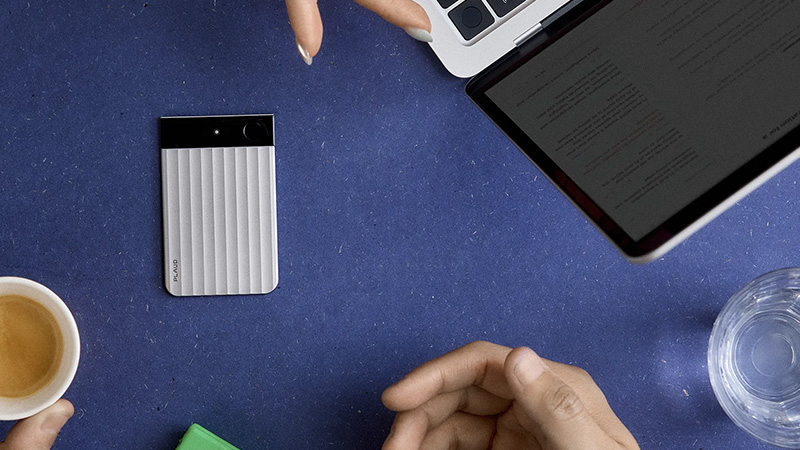
Products like PLAUD Note record the meeting and then send the material on for automatic transcription and summarization. You do not have to move files between different services and get everything in one place.
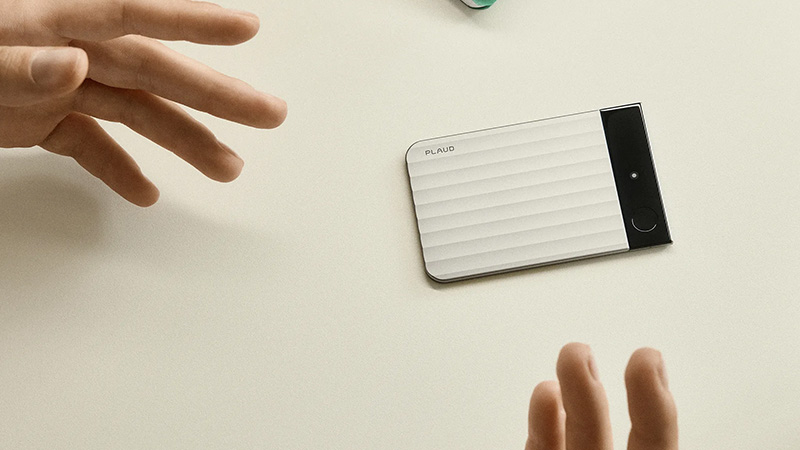
This is especially useful for journalists, consultants, researchers, and salespeople who often need to document conversations. It also works well in situations where a phone is not practical to use or where you want a more discreet recording solution.
How to get better accuracy in Swedish
Even the best AI model is affected by recording quality. A few simple preparations can make a big difference to the result.
Place the microphone as close to the speakers as possible. Avoid background music and environments with a lot of echo. If several people are taking part in the meeting, it helps if they do not talk over one another.
Technical terms, product names, and uncommon abbreviations can still be a challenge for some systems. That is why it is always wise to do a quick proofread before the text is used in reports, articles, or documentation.
Step by step: Transcribe an audio file into text
If you have never tried it before, the process is easier than many people think. Record the meeting or conversation. Save the audio file in a common format such as MP3 or M4A. Upload the file to a transcription tool. Choose Swedish as the language. Start the transcription. Check the result and correct any errors. Export the text to Word, PDF, or another format.
The whole process often takes just a few minutes, depending on the length of the recording.
Which method works best?
If you only need to transcribe the occasional interview each month, Whisper or MacWhisper is often more than enough. For recurring use, web services can be more convenient because they require less manual work.
If you work daily with meetings, interviews, or customer calls, it is worth looking at a dedicated solution where recording, transcription, and AI summaries are integrated from the start. Over time, it saves both time and administration.

What matters most is not really which tool you choose. What matters is that the information becomes searchable, easy to share, and simple to reuse. When meetings and conversations are automatically turned into text, it becomes much easier to find the right information when you need it.
FAQ
How do you transcribe a meeting into text?
First, record the meeting and then upload the audio file to a transcription tool such as Whisper, Good Tape, or PLAUD. The tool automatically converts speech into text.
Can AI transcribe Swedish?
Yes. Modern AI models are very good at Swedish and handle meetings, interviews, and phone calls with high accuracy.
Are there free transcription tools?
Yes. Whisper and MacWhisper are two popular options for anyone who wants to transcribe audio into text for free.
How accurate is automatic transcription?
Accuracy depends on audio quality. With clear speech and low background noise, results are often very accurate.
What is the advantage of an AI recorder?
An AI recorder combines recording, transcription, and summarization in one solution. You do not have to manage several different apps and services.